How It Works

How our remote vessel operations work

From vessel equipment to shore-based navigation — every step of the Seafar protocol, explained.

System Nominal · Bridge — Shore Link Stable
01
Step 01 · Equip

Vessel is equipped with VCS or Shield

Onboard installation makes the vessel Seafar-Ready: cybersecure connectivity, sensor and control integration, and full telemetry to shore.
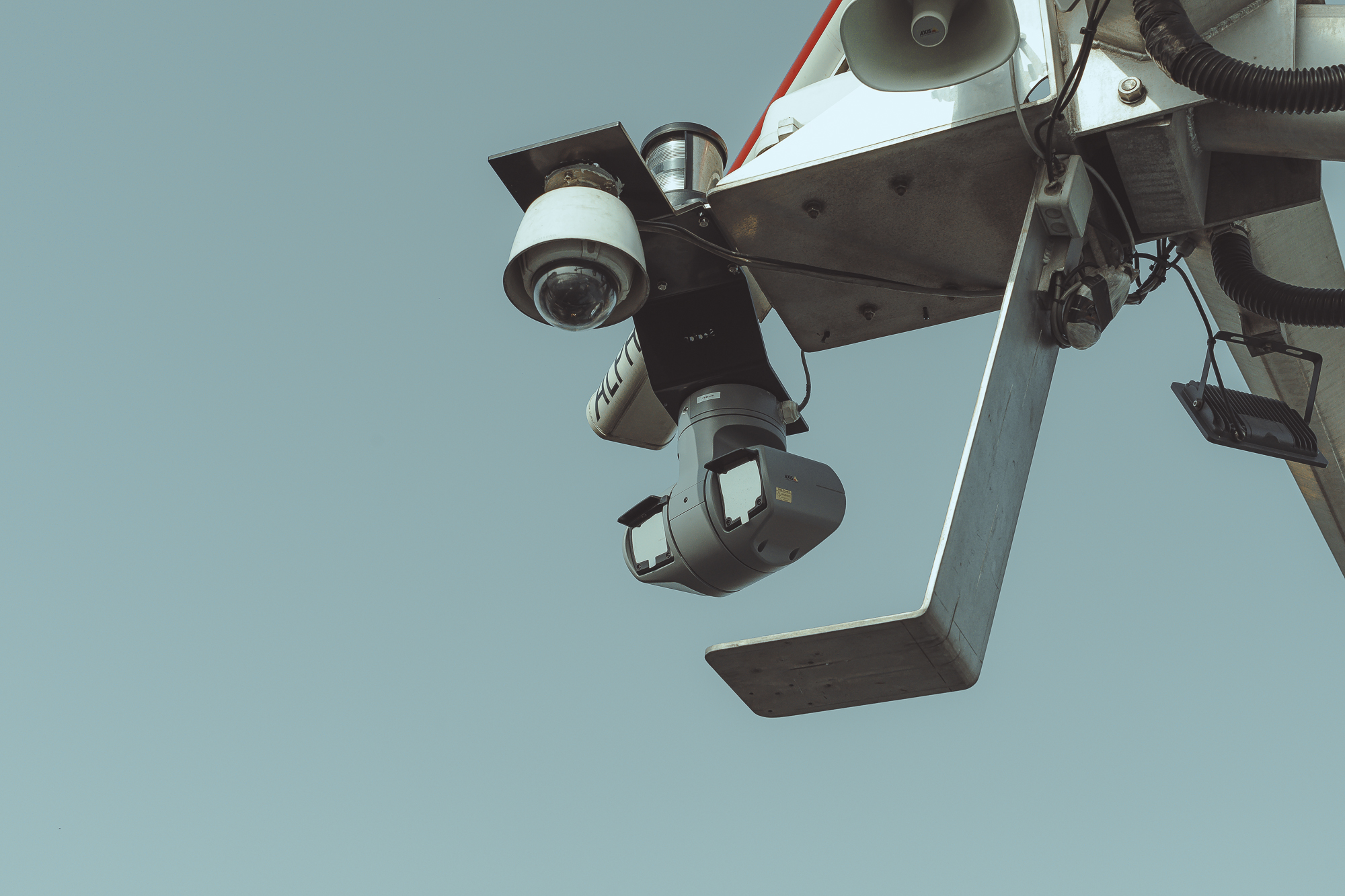
Onboard Seafar sensor array — cameras, PTZ optics and hailer mounted on a vessel mast
Protocol Diagram · Onboard Integration
Engine Steering Radar · AIS Cameras
Onboard Brain
VCS / Shield
Integrates ship systems and opens one cybersecure channel to shore.
Sensor fusionControl bus
encrypted
Shore
ROC
Receives full, real-time vessel telemetry.
TLS tunnel
Seafar-Ready Cybersecure connectivity · sensor & control integration · full telemetry
02
Step 02 · Match

Boatmaster requests a Remote Operator

Through CrewLink and the Seafar Helm interface, the boatmaster requests a certified Remote Operator matched to route and vessel type.

Protocol Diagram · Operator Matchmaking
Onboard · Helm
Captain
Opens a request from the Seafar Helm interface.
Request ticket
request
Matching Engine
CrewLink
Matches the request against certified operators by rule.
RouteVessel typeCertificationAvailability
match
Operator Pool
Remote Operators
A certified operator is assigned to the vessel.
RO-01RO-07 ✓RO-12
Matched on demand Certified · route-aware · configurable matchmaking rules
03
Step 03 · Transfer

Safe control transfer via Seafar Console

A physical handover protocol — confirmed onboard and at the ROC — transfers control with full audit logging and a one-touch revert path.

Protocol Diagram · Control Handover
Onboard control handover Remote control 1-touch revert
Onboard
Seafar Console
Confirm ✓ key
Shore
ROC Station
Confirm ✓ key
Audit Log — immutable
14:02:07 Handover requested — ROC · RO-07 LOGGED
14:02:09 Onboard confirmation — Captain ✓ OK
14:02:10 ROC confirmation — control acquired ✓ OK
Auditable handover Physical confirmation both ends · one-touch revert always available
04
Step 04 · Navigate

Remote Operator navigates from the ROC

The ROC workstation mirrors the wheelhouse: charts, camera feeds, VHF, throttle and steering — with sub-second response from shore.

Protocol Diagram · Wheelhouse Mirror
Afloat
Vessel
Executes commands, streams its world back.
commands
round-trip < 1s
video · telemetry · VHF
Shore Workstation
ROC — mirrors the wheelhouse
ENC Chart
Camera Feeds
VHF Audio
Throttle · Rudder
Sub-second response Full wheelhouse parity — charts · cameras · VHF · throttle & steering
05
Step 05 · Log & Comply

Watchtower logs all data; Atlas monitors compliance

Every command, alarm, and crossing is logged. Atlas enforces geofences and port rules; Watchtower exports to operators, clients, and authorities.

Protocol Diagram · Logging & Compliance
Source
Vessel events
CMD Steering / throttle ALM Alarms & faults NAV Crossings & locks
Geofencing & Compliance
Atlas
Zone enforcedBreach alert
Reporting & Transparency
Watchtower
Operators — live dashboards Clients — voyage reports Authorities — compliance exports
Full transparency Immutable logging · geofence & port-rule enforcement · multi-party export

Ready to future-proof your fleet?

Talk to our team about remote operations for your vessels.

Request a Demo